Understanding BMI: Your Complete Guide to Body Mass Index
Body Mass Index (BMI) is one of the most widely used measurements for assessing whether a person has a healthy body weight. In this comprehensive guide, we'll explore everything you need to know about BMI calculations.
What is BMI?
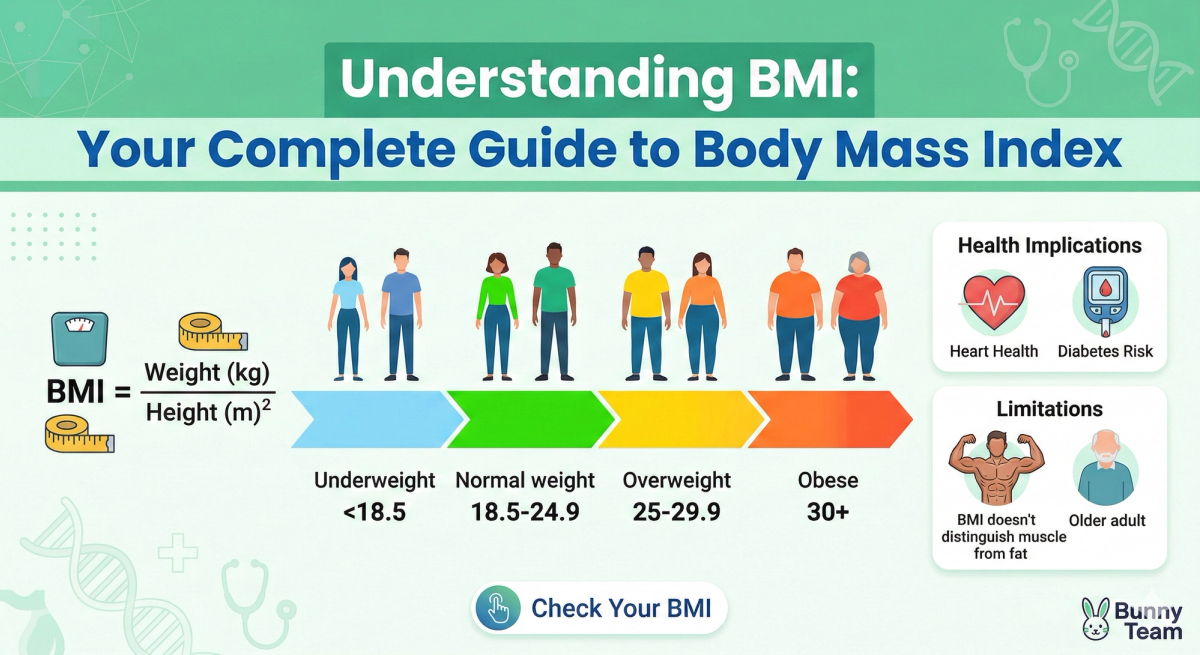
BMI is a simple calculation that uses your height and weight to work out if your weight is healthy. The formula is:
BMI = weight (kg) / height (m)²
For example, if you weigh 70 kg and are 1.75 m tall, your BMI would be:
70 / (1.75 × 1.75) = 22.9
BMI Categories
Here are the standard BMI categories:
- Underweight: BMI less than 18.5
- Normal weight: BMI 18.5 to 24.9
- Overweight: BMI 25 to 29.9
- Obese: BMI 30 or greater
Why BMI Matters
BMI provides a quick screening tool that can indicate potential health risks:
- Heart Disease Risk: Higher BMI is associated with increased cardiovascular risk.
- Type 2 Diabetes: Obesity is a major risk factor.
- Joint Problems: Excess weight puts strain on joints.
- Sleep Apnea: Common in individuals with higher BMI.
Limitations of BMI
While BMI is useful, it has limitations:
- Doesn't distinguish between muscle and fat.
- Doesn't account for age or gender differences.
- May not be accurate for athletes.
- Doesn't consider fat distribution.
Use Our BMI Calculator
Ready to check your BMI? Try our free BMI Calculator for instant, accurate results with personalized health insights.
Conclusion
BMI is a valuable starting point for understanding your health status. Combined with other measurements and professional medical advice, it can help guide your wellness journey.
Artículos Relacionados
 Finance
Understanding the Impact of Oil Prices on the Global Economy
Oil prices significantly affect the global economy.
 Crypto
Web3 Expansion and Loyalty Programs in Crypto
Exploring Web3 expansion and loyalty programs.
 Tutorials
Mastering Oracle APEX: A Step-by-Step Guide
Learn Oracle APEX with our comprehensive guide.